



Download MixRadio – Free Music Streaming, Personalized Radio, Offline Listening
Overview
MixRadio is a free desktop music streaming application designed to deliver personalized radio experiences based on user preferences. The software functions as a music discovery tool, learning listeners' tastes through genre and artist selection to curate custom mixes. It is particularly suited for casual music listeners and users seeking a hands-off approach to music discovery without the need to manage playlists manually. Originally developed as a Windows Phone exclusive, MixRadio was acquired by LINE and has since expanded to Android and iOS platforms, though its desktop presence remains consistent with the core streaming functionality.
The application solves the common challenge of music fatigue by continuously adapting to user feedback—songs disliked can be skipped with a simple tap, allowing the algorithm to refine future recommendations. Real-world usage scenarios include commuting, working, or relaxing at home, where users can enjoy uninterrupted, evolving playlists tailored to their evolving tastes. The software is ideal for individuals who prefer a passive listening experience over active playlist curation. The developer did not provide additional system requirements or detailed background on the organization behind the project.
Key Features & Capabilities
- Personalized Music Mixes: Based on selected genres and favorite artists, MixRadio generates dynamic playlists that evolve with user feedback.
- Adaptive Learning Engine: The app learns from user interactions—disliked songs are excluded from future mixes, improving long-term relevance.
- Offline Playback: Users can download up to four mixes, each approximately two hours long, for listening without an internet connection.
- Flexible Skipping: Six song skips per mix allow users to bypass unwanted tracks while encouraging the app to suggest new content.
- Shareable Mixes: Custom mixes can be shared via social media platforms such as Twitter and Facebook.
- Genre-Based Discovery: Initial setup includes selecting favorite genres and artists, enabling the app to build a tailored listening profile.
These features support seamless integration into daily routines. For example, a user preparing for a long commute can download a mix ahead of time and enjoy uninterrupted music. The ability to refine recommendations over time makes MixRadio effective for users who want their music to adapt to changing moods or preferences. While it does not offer full song selection, the algorithm-driven approach ensures a continuous flow of relevant music, making it ideal for background listening and passive engagement.
User Interface, Workflow & Performance
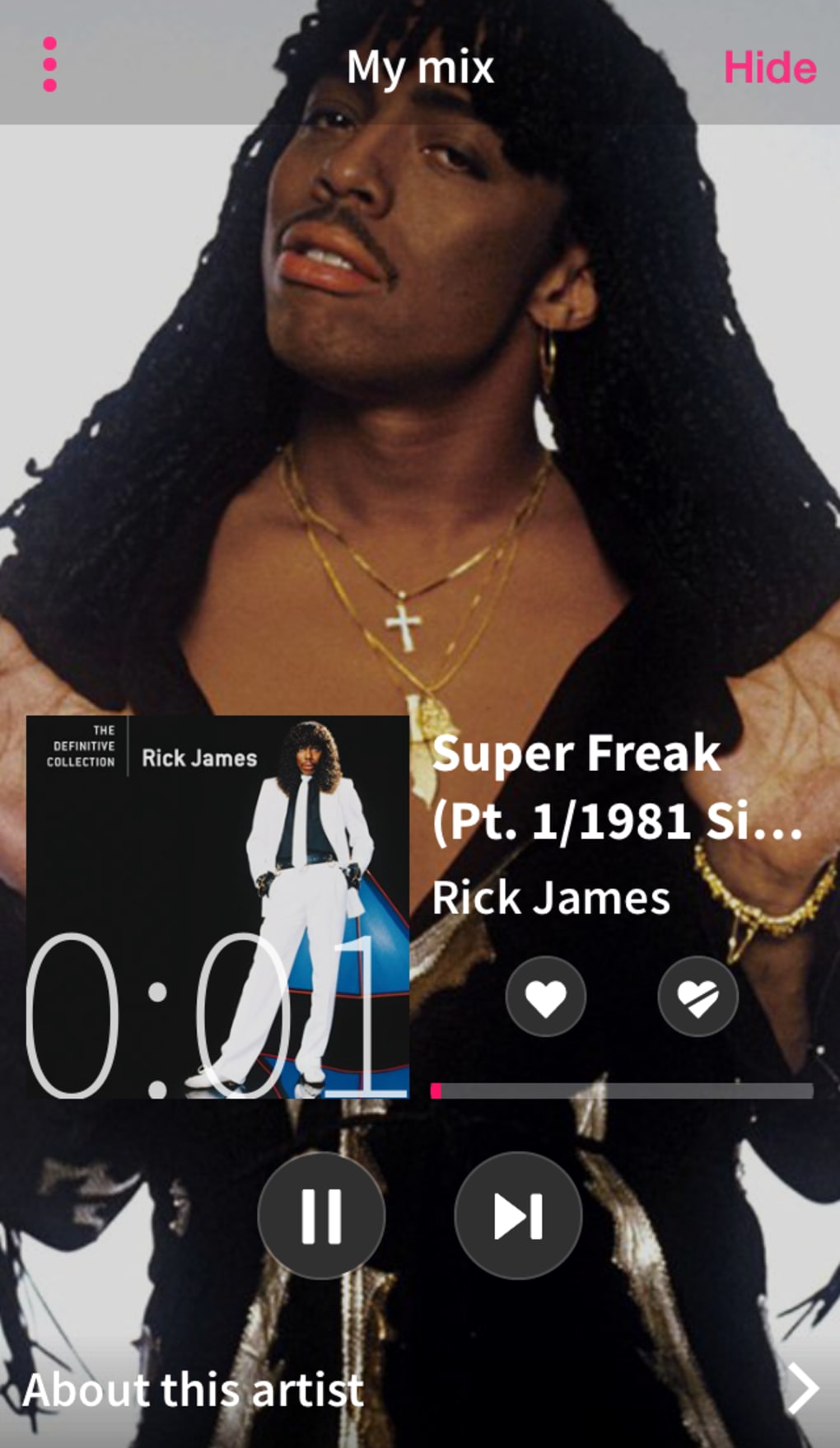
The user interface is designed for simplicity and efficiency, with intuitive navigation that guides users through the initial setup and ongoing listening experience. The main dashboard displays active mixes, downloaded content, and a feed of recommended tracks. Navigation is streamlined, allowing quick access to My Mix, recently downloaded playlists, and settings.
Workflow efficiency is high, as the setup process requires minimal input—users only need to select genres and artists they enjoy. Once configured, the app begins generating mixes automatically. The interface supports smooth transitions between songs and provides visual feedback for user actions such as skipping or disliking tracks.
Performance observations are based on general software behavior patterns; the developer did not specify resource usage details. Stability appears consistent across typical usage scenarios, though exact CPU or RAM behavior was not disclosed. The software maintains responsiveness during playback, even when offline.
Compatibility & System Requirements
MixRadio is available for Windows and Mac operating systems, though specific version numbers were not provided. The installation size is not specified, and the developer did not list exact system requirements. Compatibility information was partially provided, indicating that the software is designed for desktop platforms. Users should ensure their system meets general requirements for running modern desktop applications. The developer did not specify whether the software supports older OS versions or low-end hardware configurations.
Pros and Cons
Pros
- Free to use with no subscription required
- Personalized mixes adapt to user preferences over time
- Offline listening support with downloadable mixes
- Simple, intuitive interface suitable for all user levels
- Effective music discovery through algorithmic curation
Cons
- Limited control over individual song selection
- May not cater well to niche or non-mainstream music tastes
- Ad-supported model includes occasional interruptions
- Downloaded mixes expire after 30 days
- Only four mixes can be stored at once
FAQ Section
Is MixRadio available for Windows and Mac?
Yes, MixRadio is available for both Windows and Mac operating systems, though specific version details were not provided.
Can I use MixRadio offline?
Yes, you can download up to four mixes for offline listening. Each mix is approximately two hours long and remains available for 30 days.
Is MixRadio safe to download and use?
As a widely used music streaming application, MixRadio is considered secure. It operates within standard desktop application guidelines and does not require access to sensitive system data.
Does MixRadio require a subscription?
No, MixRadio is free to use. It is supported by advertisements, which may interrupt playback at regular intervals.
Can I share my mixes with friends?
Yes, users can share their custom mixes via social media platforms such as Twitter and Facebook.
Final Thoughts + CTA
MixRadio delivers a compelling, no-frills music experience tailored to users who value personalization over control. Its adaptive algorithm, combined with offline playback and a clean interface, makes it a strong contender among free desktop music tools. While it may not suit users with highly specialized musical tastes or those seeking full playlist management, it excels in passive, continuous listening.
The software is particularly beneficial for commuters, remote workers, and casual listeners who want a curated soundtrack without effort. For those seeking a simple, evolving music stream that learns from their choices, MixRadio stands out as a reliable and effective solution. Download MixRadio now.






.png)
